Atlas
The anatomy tool I wanted as a biology student
Interactive web app · 2026
Anatomy is hard to learn from a textbook plate, because what you are actually trying to memorise is spatial — where a structure sits relative to everything around it. A flat labelled diagram gives you the labels but not the relationships.
Atlas is the study tool I would have wanted at UGA. Six body systems are drawn over the same figure — skeletal, muscular, circulatory, respiratory, digestive and urinary, nervous — each tinted the way a printed anatomical plate would be. Click any structure for its name, its Latin name, and a short explanation of what it does. Then switch to quiz mode, which names a structure, asks you to find it, and tracks your running accuracy.
A whole-body figure can only resolve so much, so anything finer gets its own zoomed view. There are seven: the full dentition, the hand, the foot, the skull, the spine, the brain, and the heart. Together they bring the atlas to around two hundred individually named structures.
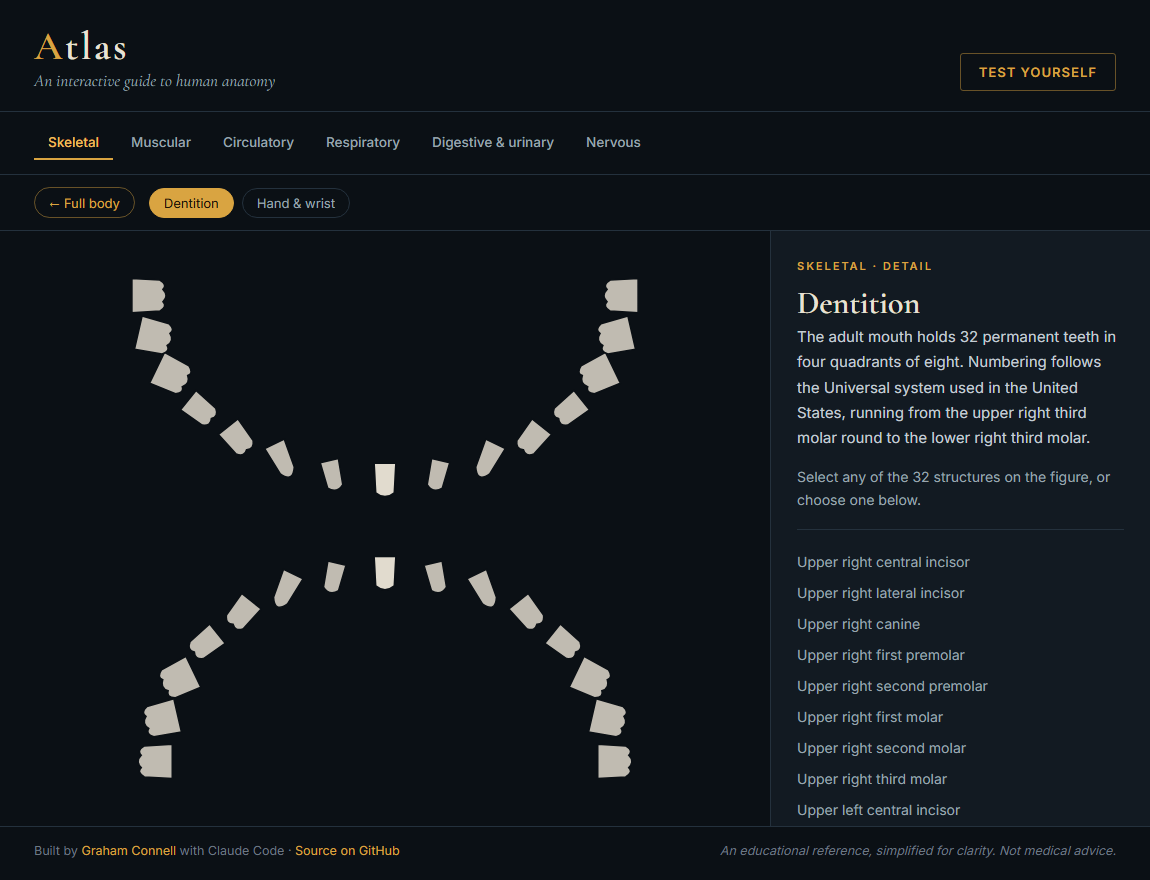
The dentition view carries all 32 permanent teeth, each clickable and numbered in the Universal system a dentist actually uses, so you can work out that tooth 30 is the lower right first molar. The spine names every vertebra from C1 to L5. The hand and foot carry all 27 and 26 bones respectively, down to the pisiform and the cuboid. Those four are generated rather than drawn by hand — teeth laid along an elliptical arch, vertebrae along the spine's natural curves, finger and toe bones along each digit's ray — which keeps proportions consistent and the data small.
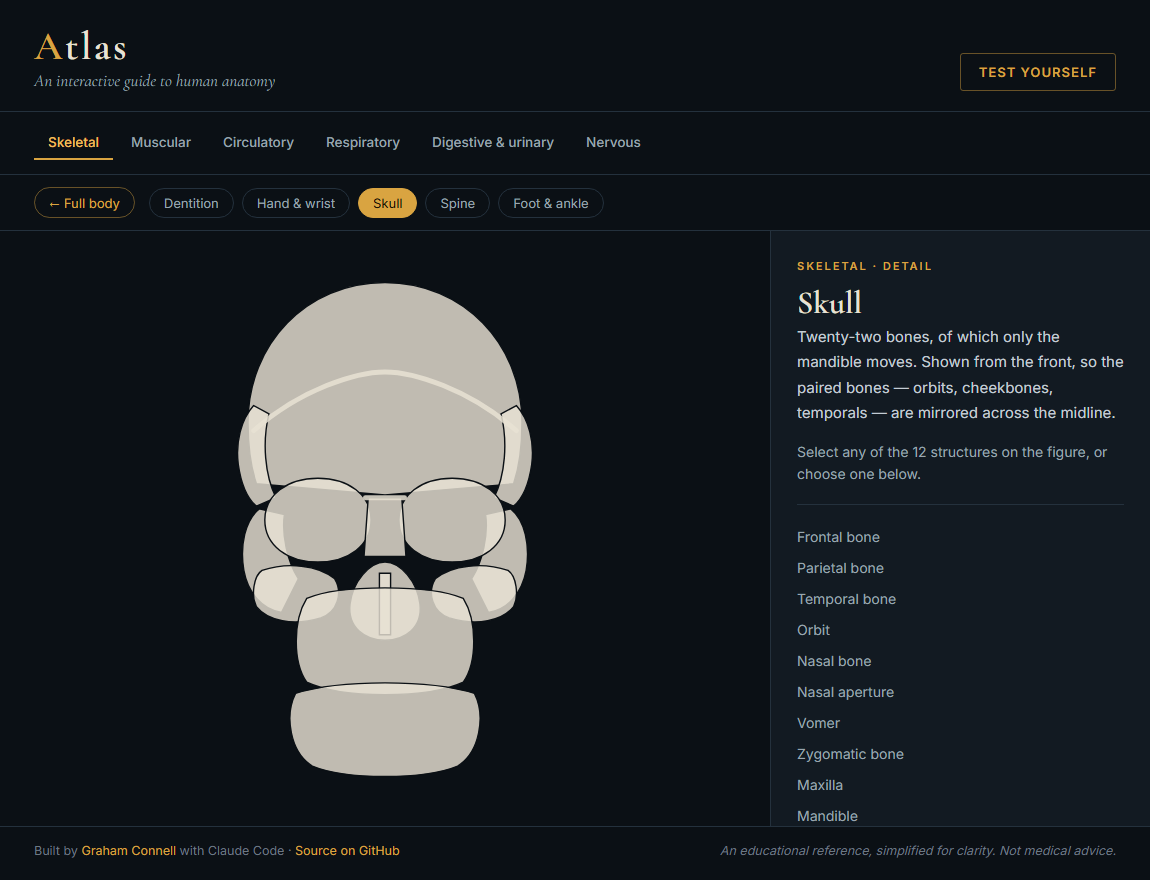
Two decisions in there are worth naming. The skull is drawn from the front rather than the side: a lateral skull is the classic textbook view, but I tried it and it read as a pile of blobs, whereas an anterior skull is symmetric and lets the paired bones reuse the same mirroring the rest of the app uses. And in the heart, structures are coloured by blood oxygenation rather than by vessel type — which means the pulmonary trunk is drawn blue even though it is an artery, because the blood inside it is spent. Getting that backwards is the sort of thing that would quietly teach someone the wrong lesson.
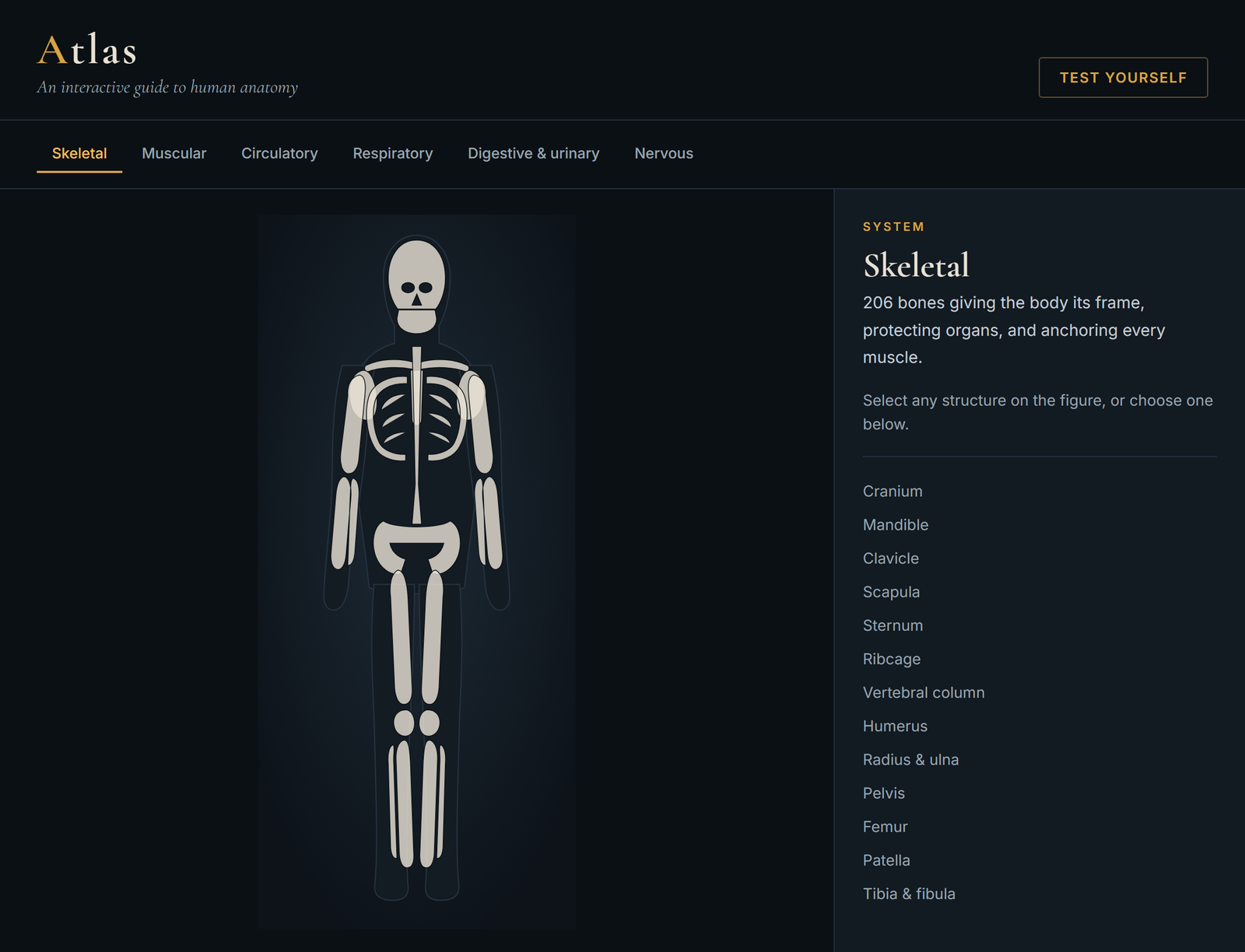
Every structure is hand-authored or generated SVG — over a hundred of them. There are no images, no libraries, and no build step, which means the whole thing is a few files that will still run in a decade. Bilateral structures like the femur or the kidneys are drawn once and mirrored across the midline, which halves the work and guarantees the two sides match.
The detail I am most pleased to have caught is sidedness. My first version put the liver on the figure's left and the stomach on its right. That is backwards: the figure faces you, so the liver — which sits on the body's right — belongs on your left. It is the kind of error that would be invisible to most people and immediately obvious to anyone who has taken the class, which is exactly the audience a tool like this has to survive.
Pipeline
A deal tracker for people who live in spreadsheets
Designed and built with Claude Code · 2026
Every business development job I have had ran its pipeline out of a spreadsheet. Spreadsheets are fine at storing deals and terrible at showing you the shape of your pipeline — where things are stacking up, what is about to close, what has gone quiet. You end up rebuilding the picture in your head every morning.
So I built the thing I wanted. Pipeline is a five-stage board — Prospect, Contacted, Meeting, Proposal, Closed — where deals are cards you drag from stage to stage. Every column keeps a running count and dollar total, and the header keeps the total value of everything in play. Add, edit, and delete deals inline. It saves to your own browser, so there is no account to create and no data leaving your machine.
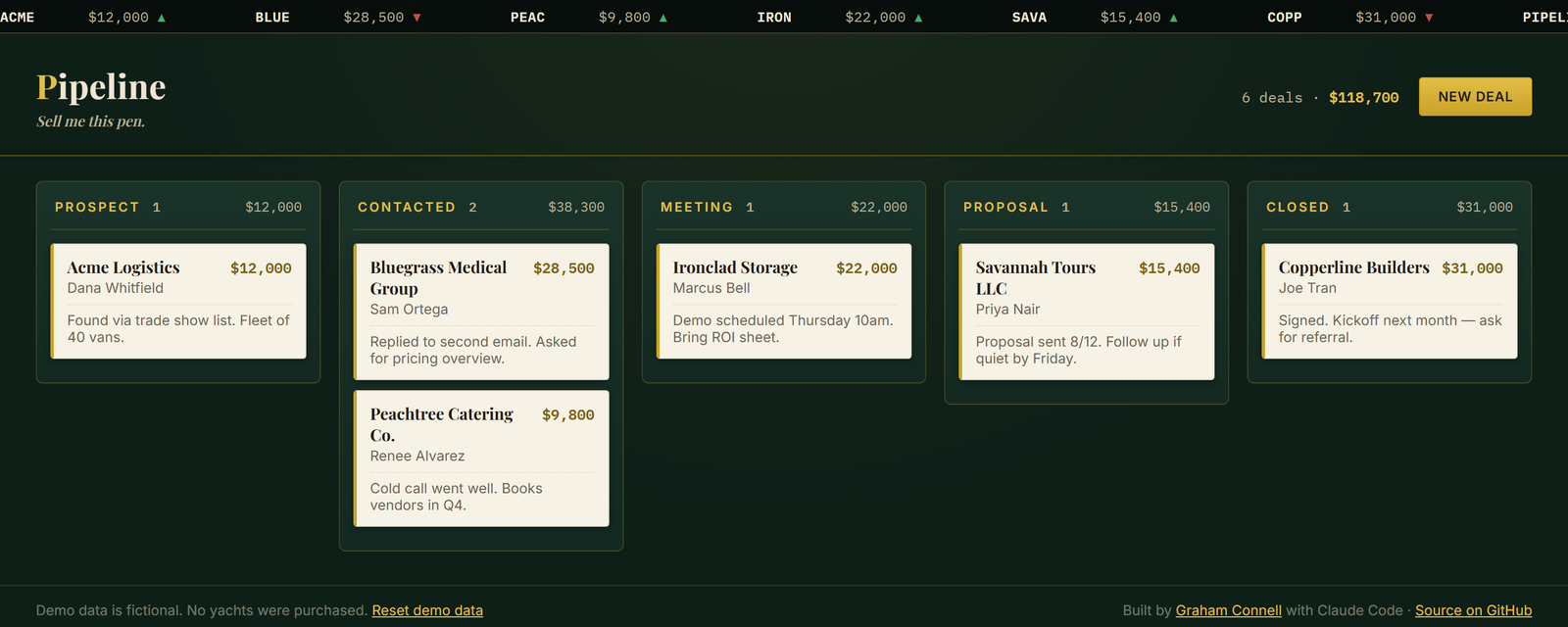
The look is deliberate. A deal board is a place you visit fifty times a day, and I wanted it to feel like a trading floor rather than a spreadsheet: dark green, brass and gold, a ticker tape across the top quoting the deals on your board, and dollar totals that roll upward when a deal moves. It is a small piece of theater, and it makes the tool something you want to open.
Technically it is deliberately plain — HTML, CSS, and JavaScript with no framework and no build step, which means it loads instantly and will still run in ten years. I designed it, wrote the copy, and built it in conversation with Claude Code, then read and revised the result until it did what I meant.
lead-enrich
Research a hundred prospects while you make coffee
Command-line tool · Node.js · 2026
Prospect research is the least enjoyable part of business development and the easiest to do badly. You open a company's site, hunt for who they are, check whether they are hiring, try to work out whether they have money to spend, and then do it again forty more times. By the bottom of the list you have forgotten the top of it.
lead-enrich does the mechanical part. Hand it a CSV of company domains and it returns a researched prospect list: what software each company runs, what they have raised, whether they are hiring, and how to reach them.
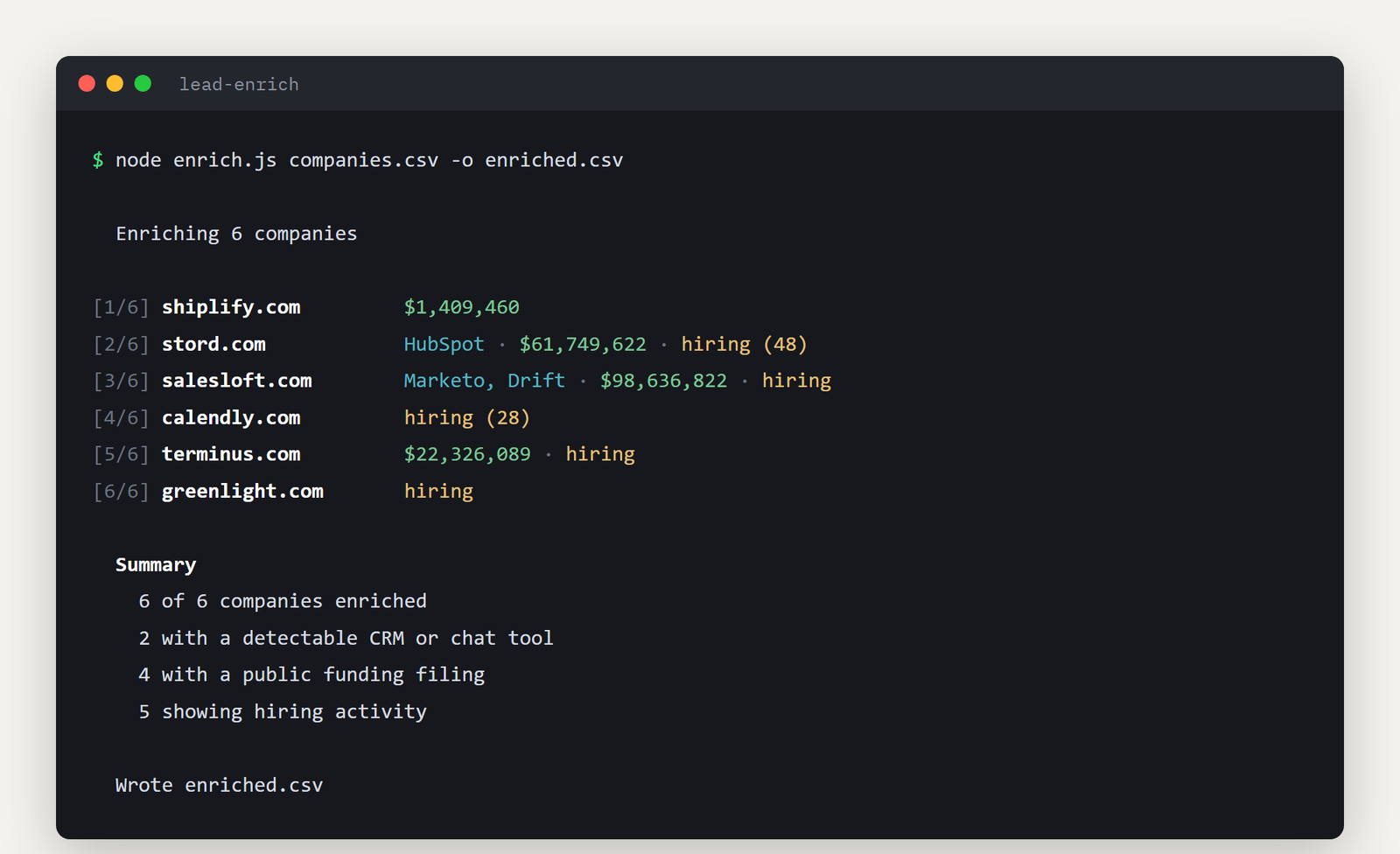
The most useful column is the tech stack, fingerprinted from each company's own homepage. Knowing a prospect runs HubSpot rather than Marketo, or has Drift sitting on their pricing page, tells you how they sell and shapes how you should approach them. The funding numbers come from SEC EDGAR — companies raising private capital in the US file a Form D, which is public and states the size of the round, so the data is free and authoritative rather than scraped or guessed.
The hardest part was not gathering data. It was refusing to report data I was not sure about. Investors routinely create funding vehicles named after the company they are backing, so a naive search for one prospect returned a $3.5 million fund instead of the $61 million the company had actually raised. The tool now only accepts a filing when the filer's own name matches the company, and discards investment funds entirely. That means some companies come back blank when a filing does exist — which is the right trade. A blank cell costs you nothing. A wrong number in front of a prospect costs you the meeting.
It has no dependencies and needs no API keys. It identifies itself honestly, limits how fast it requests anything, and only reads public homepages and public filings.